

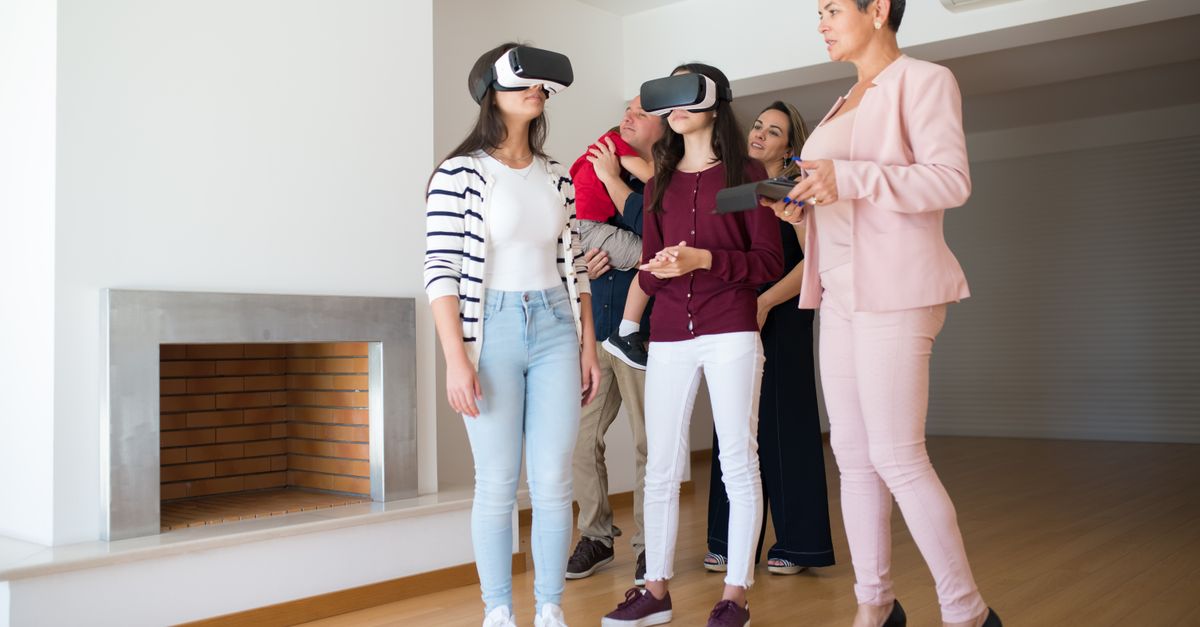


In custom home design, the ability to evaluate and approve how a residence will look and feel before construction is becoming essential. Virtual reality (VR) walkthroughs and traditional renderings both serve this goal, yet each offers unique strengths in the design and decision-making process. Clients, architects, and builders increasingly rely on these visualization tools to reduce risk, eliminate surprises, and streamline the journey from concept to completion.
At Greyscale Architecture, we have found that integrating both VR walkthroughs and traditional renderings not only accelerates approvals and minimizes change orders, but elevates client confidence and satisfaction. Understanding the distinct advantages of each method enables you to get the maximum value from your custom home investment.
Traditional renderings are highly detailed static images generated from a 3D model of your home. These photorealistic “previews” capture selected viewpoints, materials, lighting, and furnishings, offering a polished glimpse into future spaces. They are fundamental in architectural presentations and are easily shared on digital or printed platforms.
VR walkthroughs create an immersive, interactive digital replica of your custom home. Using VR headsets or web-based viewers, you can explore spaces at full scale, experiencing true proportions, spatial relationships, and flow as though you’re physically present inside the design. This approach unlocks new ways of validating design decisions before a single wall is built.

| Criteria | Traditional Renderings | VR Walkthroughs |
|---|---|---|
| Format | Static 2D images | Immersive 3D environment |
| Interactivity | None; fixed views only | High; 360-degree exploration and movement |
| Hardware Required | Any screen or print | VR headset or interactive device |
| Best For | Marketing, presentations, style comparisons | Validating layout, space, sightlines, and finishes |
| Understanding Scale | Implied, but not fully conveyed | True to life; full experience of space |
| Cost Level | Low to medium | Medium to high, depending on detail |
| Impact on Change Orders | Reduces finish surprises | Can significantly reduce layout or finish changes before construction |
| Client Learning Curve | Minimal | Low to moderate with guided session |
| Shareability | Universal, easy to email/print | Usually in studio or with specific equipment |
Every custom home is unique, making it difficult for even the most experienced architect to fully convey spatial relationships, ceiling heights, and real-life flow using standard images. At Greyscale Architecture, VR walkthroughs are a core part of our process for minimizing this risk. By experiencing each room and transition at true scale, clients can confirm that the home aligns with their lifestyle needs, identifying potential issues early:
As a result, VR walkthroughs have led to fewer late-stage changes and a smoother building experience for our clients.
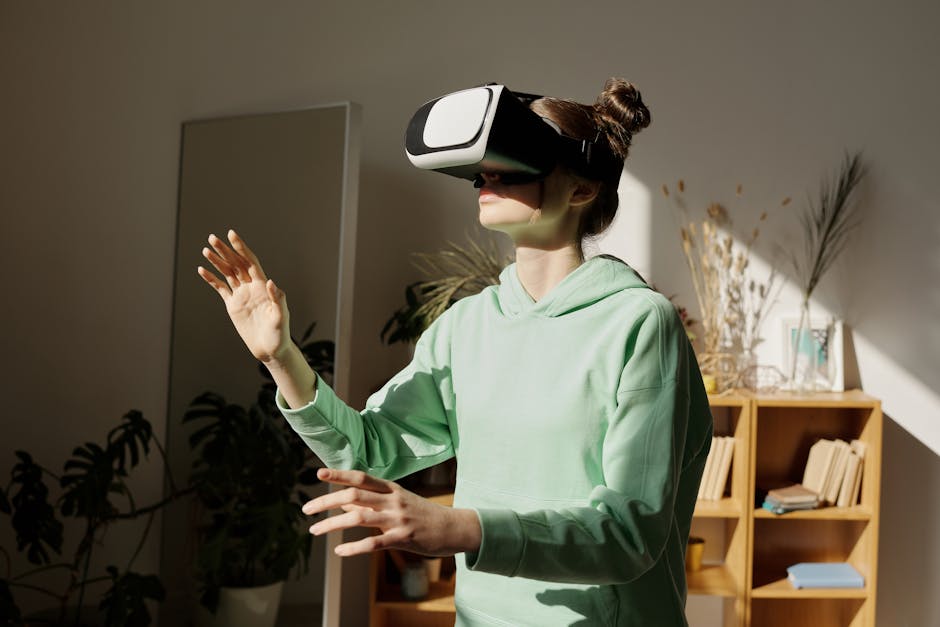
The most successful custom home projects employ both visualization approaches strategically at different design stages. Here’s how Greyscale Architecture typically guides clients:
Our team at Greyscale Architecture specializes in delivering custom solutions for high-end residential and commercial projects throughout California. By leveraging advanced tools including LiDAR, BIM coordination, and both VR walkthroughs and traditional rendering, we dramatically improve client understanding and reduce design risk. Over 900 completed projects and 80% referral/repeat business reflect the trust our clients place in our ability to deliver spaces that balance artistry, sustainability, and functionality.
From concept to construction, we guide every client with open communication and carefully structured visualization steps to ensure that your custom home matches your expectations at every stage. Testimonials consistently highlight the clarity, smooth project delivery, and creativity experienced through this approach.
Traditional renderings are static, high-quality images from fixed viewpoints. VR walkthroughs let you move through a 3D digital version of your home at true scale, uncovering spatial relationships and real-world flow that images cannot convey.
VR is most valuable during design development and pre-construction, once the general layout is established but before finishes and cabinetry are finalized. Early use helps uncover problems before they reach the field.
Most clients find a brief orientation with a headset or viewer is enough. Sessions are typically guided by your architect, making the experience easy and productive. No advanced technical background is needed.
Yes, combining both provides the clearest and most comprehensive view. VR supports deep, spatial decision making, while renderings are essential for sharing, presentation, and confirming design aesthetics.
We use VR walkthroughs and renderings as standard steps in our design process, providing clients with unmatched clarity, faster municipal approvals, and a much lower risk of mid-construction changes. This attention to detail and technology leads to predictable, successful results and high client satisfaction.
For custom home clients seeking certainty, understanding, and partnership from their architect, a blend of VR walkthroughs and traditional renderings is the gold standard. VR makes possible what was once guesswork—experiencing your home’s flow, light, and real-life proportions long before it is built. Renderings, meanwhile, remain critical for communicating vision and making design decisions efficiently. At Greyscale Architecture, our integrated process ensures that both these technologies work in tandem, delivering beautiful, comfortable homes tailored to your needs, with fewer surprises along the way.
If you are planning a bespoke residence and want to experience your design before you build, or are curious to see the difference immersive collaboration can make, we invite you to reach out for a design consultation. Learn more at Greyscale Architecture.
Don’t miss any updates on new projects or industry articles
.svg)

We combine cutting-edge technology like LiDAR scanning, virtual reality walkthroughs, and 3D printing to optimize design, reduce costs, and minimize delays—streamlining your project from concept through construction.
Our track record speaks volumes: 85% of our projects pass plan review in just one round, significantly accelerating project timelines.
Quality is ingrained in our approach. We commit to ongoing professional education, leverage industry-leading technology, and uphold stringent standards of excellence and craftsmanship on every project.
Hiring a licensed architect can reduce project delays by up to 15%, lower total costs by up to 20%, and significantly decrease the risk of regulatory hurdles—providing invaluable peace of mind and ensuring your vision comes to life efficiently.
Our comprehensive seven-step roadmap clearly guides you from initial consultation through final construction support, ensuring transparency, collaboration, and accountability

.svg)

.svg)